Drivebase - Unified File Manager
First of all, a huge thank you to everyone who has starred the repo.
It started back in 2025 when I wanted to upload files to Telegram. I had many files in Saved Messages, but it was becoming difficult to manage them. I didn’t have a structured way to organize my files. I wanted a place where I could create folders and upload files, while the content would still be saved in Telegram’s Saved Messages. So I built Xile, a file manager specifically for Telegram.
App UI
   ↓
Backend
   ↓
Telegram API
   ↓
Saved Messages storage
What Drivebase Can Do Today
Fast forward today, its now been renamed to Drivebase, and supports not only Telegram but major other storage provider, and slowly adding more in the future as the app grows.
Drivebase evolved from a Telegram file hack into a unified storage layer. Instead of juggling multiple storage apps, Drivebase lets you connect them all in one place and manage them through a single interface.
interface StorageProvider {
  upload()
  download()
  list()
  delete()
}
Installation
Run the following command to get started, it creates a folder and downloads the latest Docker compose file and spin up all the services required.
curl -fsSL https://drivebase.io/install | bashMultiple Storage Providers
Today, Drivebase supports several major storage providers.
You can connect:
- Google Drive
- S3 compatible storage (AWS S3, Cloudflare R2, MinIO, etc.)
- Dropbox
- WebDAV servers
- Nextcloud
- Telegram
A Unified File Manager
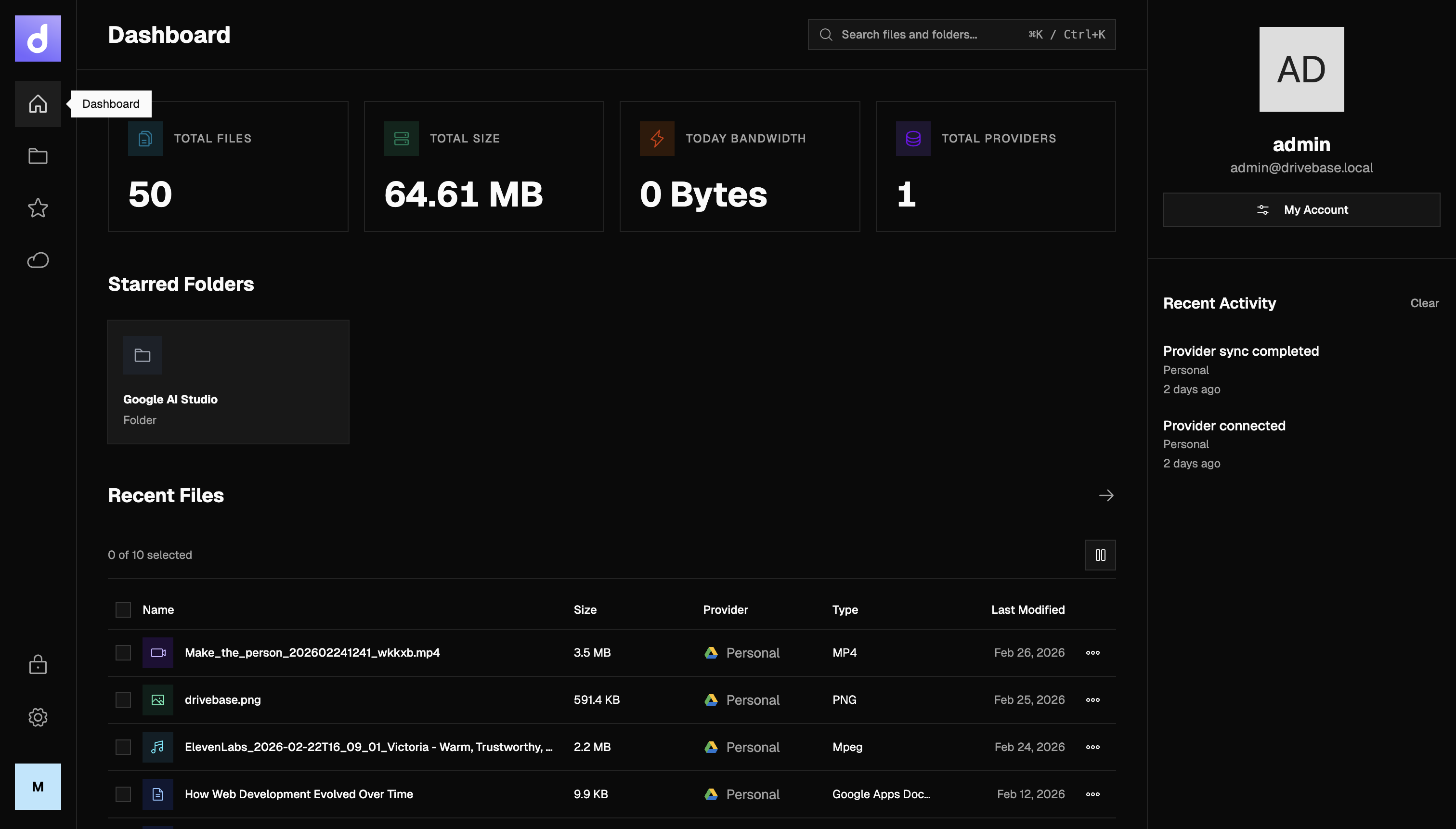
Instead of switching between multiple apps, Drivebase gives you a single interface to manage everything.
From the UI you can:
- Browse files
- Create folders
- Upload and download files
- Move files between folders
- Manage multiple drives
The experience is intentionally designed to feel like a normal file manager, even though the data may live across completely different providers.
Features
Beyond simply connecting storage providers, Drivebase adds several layers of functionality that most storage platforms don’t provide out of the box.
1. End-to-End Encrypted Vault
Drivebase includes an optional E2EE Vault for storing sensitive files.
Files placed inside the vault are encrypted on the client before being uploaded to the storage provider. This means:
- the storage provider cannot read the file contents
- Drivebase servers cannot read the file contents
- only the user with the vault key can decrypt them
This allows you to store private data even on third-party storage providers while keeping full control over encryption.
2. Rule-Based Smart Uploads
Drivebase can automatically decide where files should be stored based on configurable rules.
For example:
- Upload videos larger than 500MB → S3 storage = Documents → Google Drive
- Backups → self-hosted WebDAV
- Temporary files → Telegram storage
Instead of manually selecting a destination each time, Drivebase routes uploads automatically using these rules.
This turns Drivebase into a storage router, not just a file manager.
3. Smart Search Across Providers
Searching files across multiple storage providers is usually painful.
Drivebase solves this by building a unified metadata index, allowing you to search files across all connected providers at once.
You can search by:
- file name
- file content
- image text (OCR)
- folder path
Instead of checking five different apps, you can locate any file from a single search bar.
4. Cloud-to-Cloud Transfers
Drivebase supports direct transfers between storage providers.
For example:
- Google Drive → S3
- Dropbox → Nextcloud
- Telegram → S3
This removes the need to:
- download files locally
- re-upload them somewhere else
Drivebase handles the transfer between providers automatically. This is particularly useful for migrations and backups.
5. Granular API Keys
Most storage services force you to give third-party tools full account access.
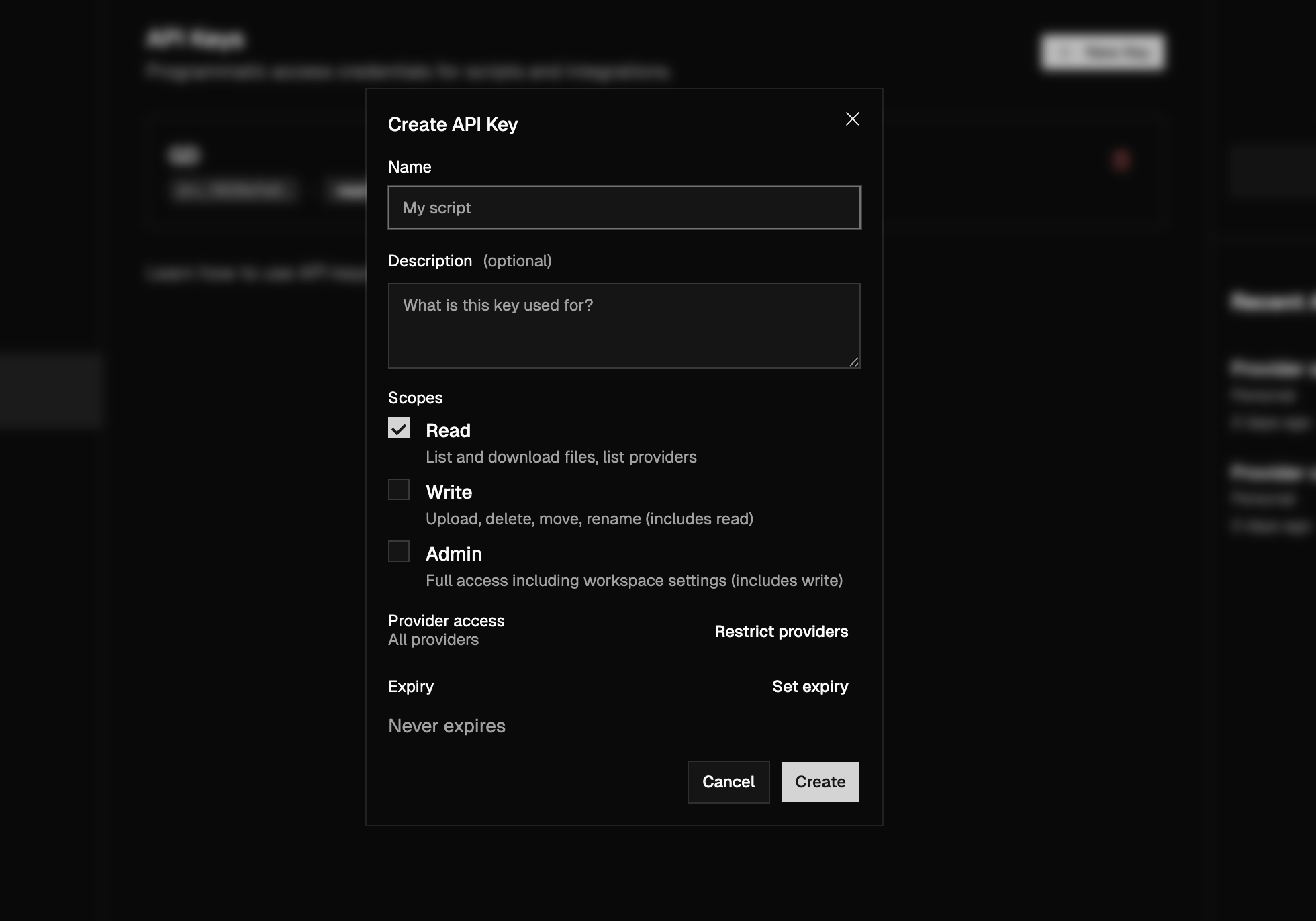
Drivebase introduces granular API keys so you can restrict exactly what an integration is allowed to do.
- API keys can be limited by:
- specific storage providers
- specific folders within a provider
- allowed operations (upload, read, delete, etc.)
This allows safer integrations without exposing your entire storage account.
Built for Self-Hosting
Drivebase is also designed to be easy to run yourself.
You can deploy it with Docker and connect it to the storage providers you already use.
This makes it useful for:
- personal file management
- home labs
- teams managing multiple storage systems
- developers building storage workflows
Website: https://drivebase.io
Source code: https://github.com/drivebase/drivebase